From the screenplay to a moving previz, in one place.
Sophie reads a script into scenes and shots, costs the VFX, draws the references and the storyboard, animates each frame and puts the shot on a 3D stage you can direct. Every step works from the same shot tree, so nothing is described twice.
01 · Script breakdown
AI script breakdown that ends in a VFX bid.
Upload a screenplay — PDF, Final Draft, Fountain, Word, plain text or Markdown — and Sophie reads it into scenes and shots, keeping every word verbatim and only marking where each shot begins. Shots carry production codes from your project's pattern, so the bid, the tracker and the render names agree. The first import is free.
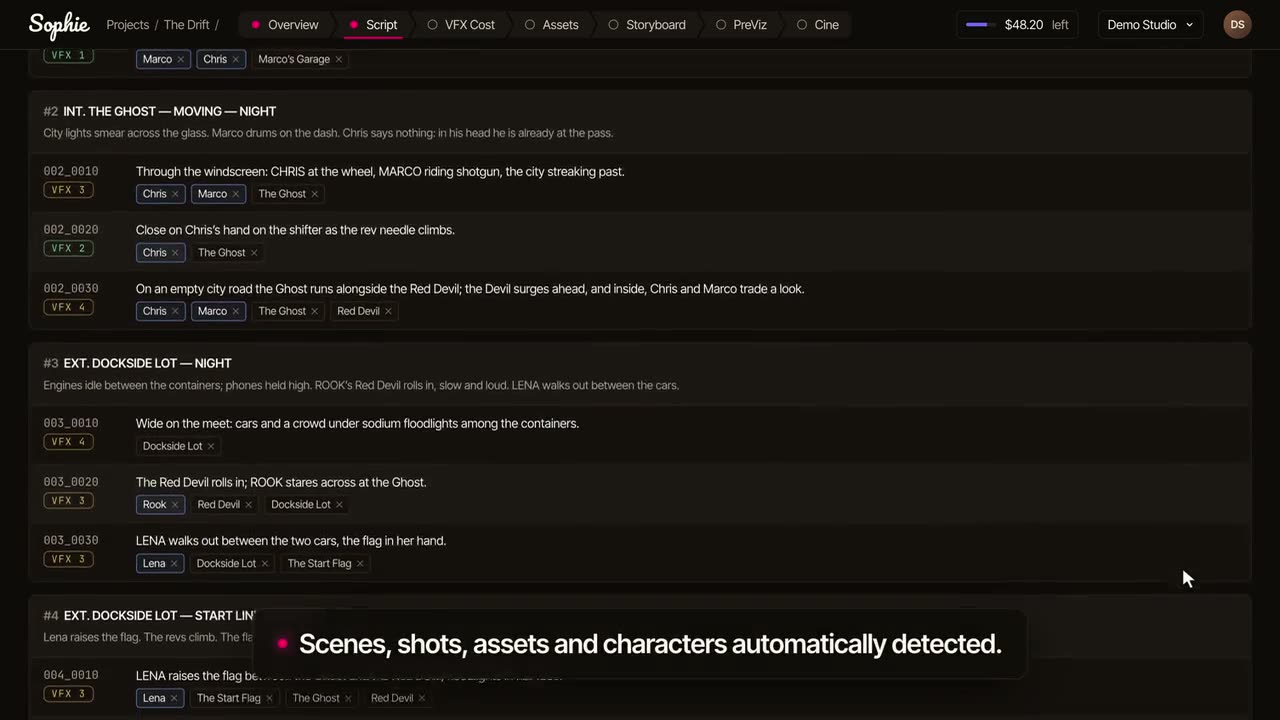
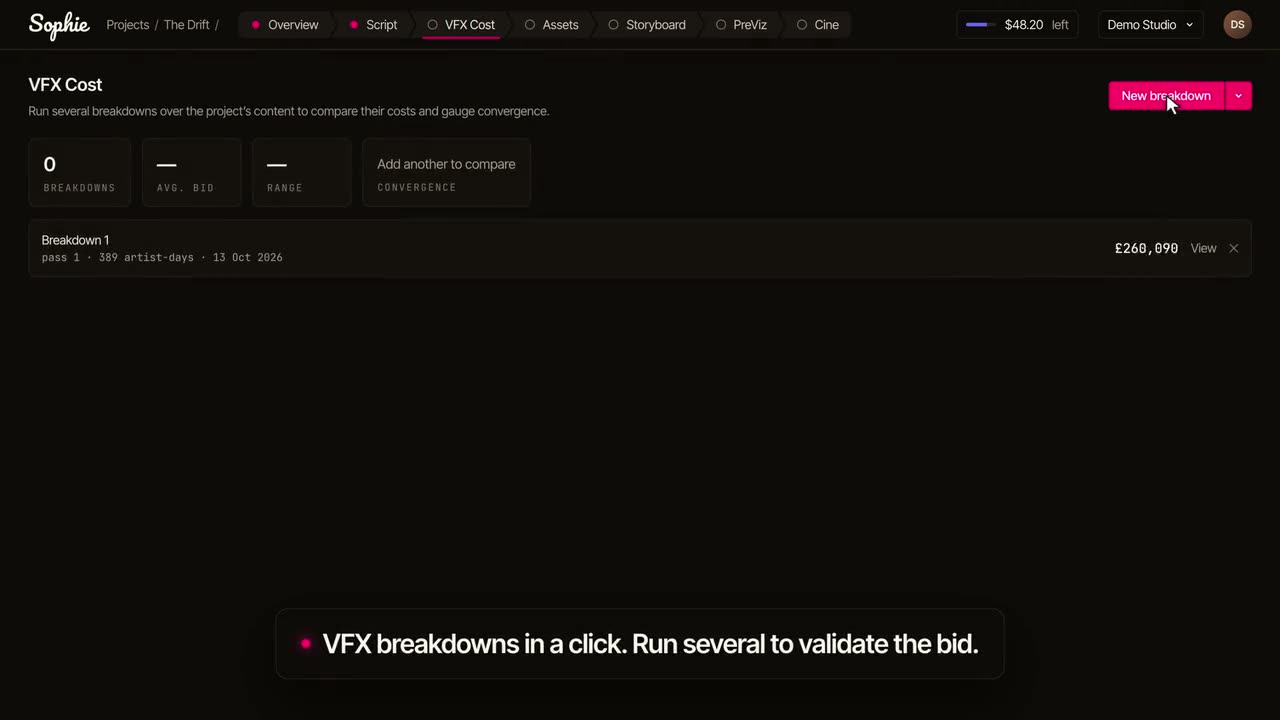
VFX breakdowns in a click. Run several to validate the bid.
Each shot is marked as needing visual effects or not, with a note on what the work is, and every flagged shot gets an estimate: complexity, the disciplines involved, artist-days per discipline and a confidence level with the reasoning next to it. Assets that need building are listed once across the film, so a hero asset is not bought again in every shot it appears in.
Priced on your rate card
Day rates per discipline, with presets for the UK, Europe, the USA and Canada in their own currencies. A discount sits on its own row, and every figure you see is the net.
Second opinions
A project holds as many breakdowns as you want to run, each by a different estimator under the same brief, and Sophie shows how far apart they land per shot. Edit any line and it stays yours.
Exported, and sent to your tracker
An Excel workbook with live formulas the recipient can keep working in, and a push of scenes and shots to your own Autodesk Flow Production Tracking site, as often as the breakdown changes.
A VFX breakdown, not a scheduling breakdown: which shots need visual effects, what work they take, and what they will cost. If you need cast, extras, props and wardrobe by scene, that is a different tool — though the scene and shot tree is a good place to start it.
02 · Assets
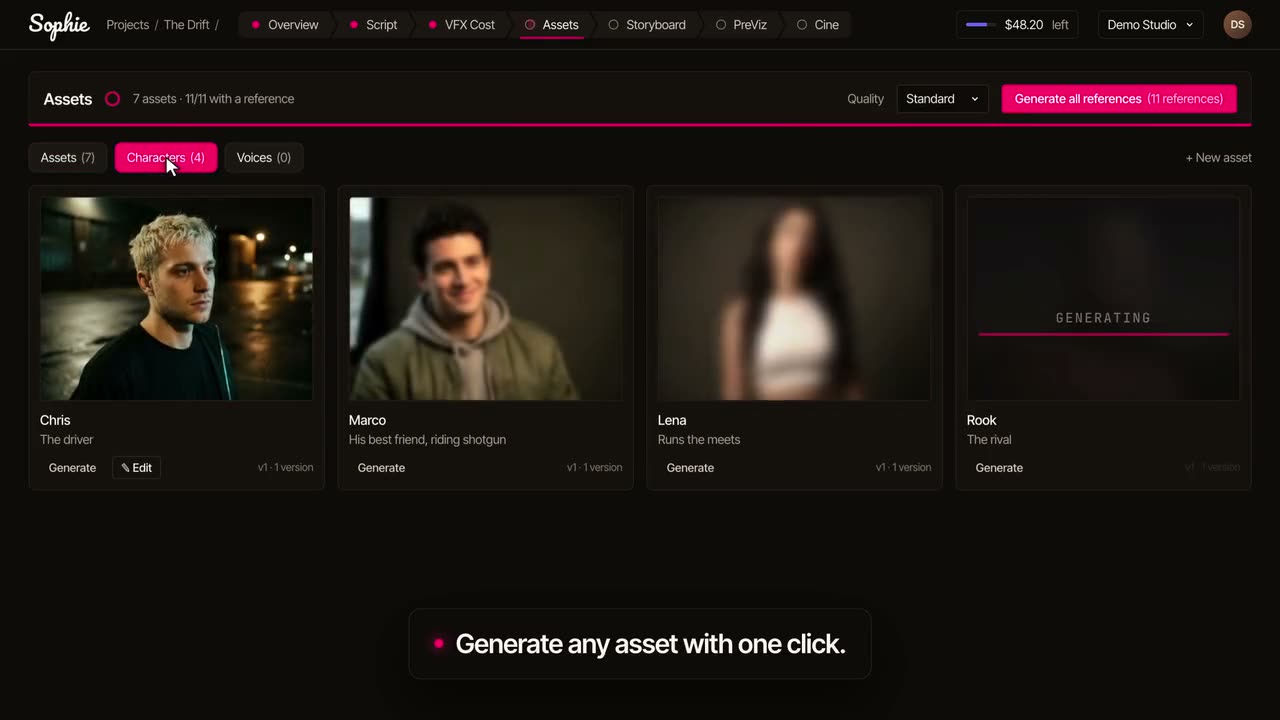
Generate any asset with one click.
Before a frame is drawn, Sophie lists the characters, props, vehicles, environments and effects in the script and makes a reference image for each, under one Look for the whole project: a period, a palette, a photographic style, set once. Frames are drawn with those references in hand, which is what keeps a face, a costume or a vehicle the same in scene 3 and scene 48.
03 · Storyboards
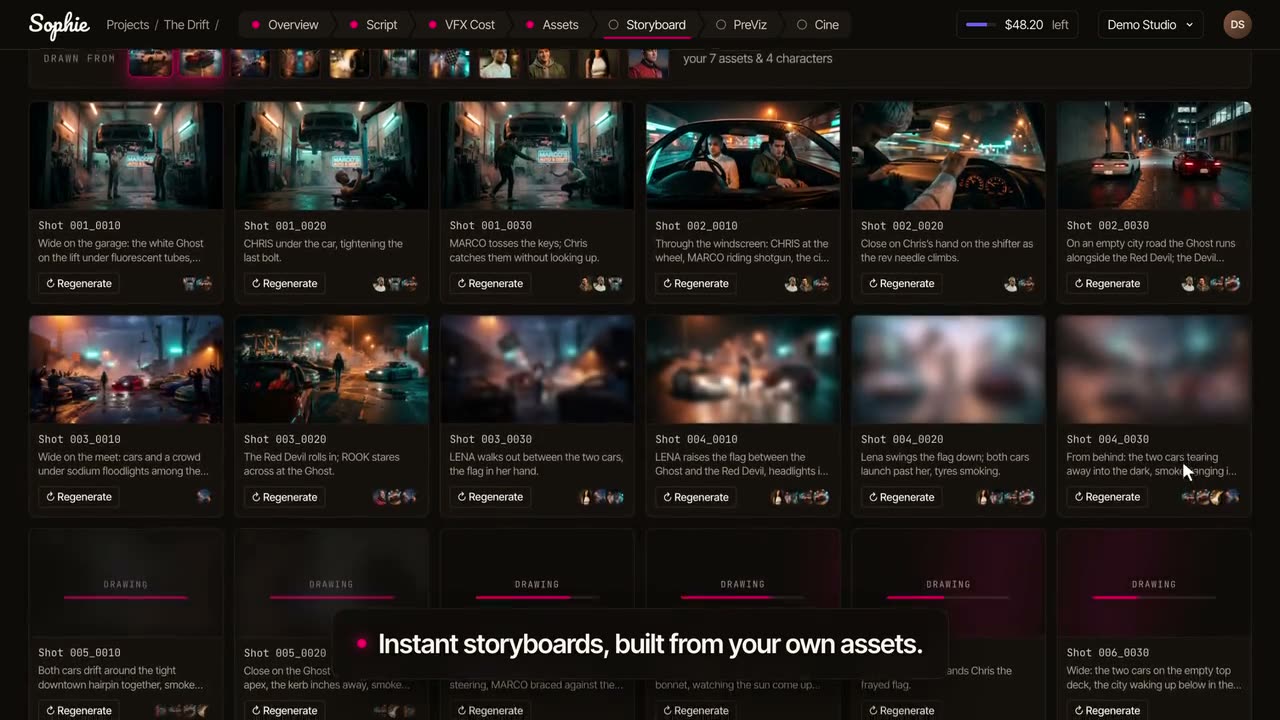
Instant storyboards, built from your own shots and assets.
Most AI storyboard generators start from a prompt box. Sophie starts from the shot list: a storyboard run takes a scene, or the whole film, and draws one 16:9 frame per shot from the shot's own lines, the references of who and what is in it, and the project's Look. The frame is just the picture; the shot code and its lines are drawn around it, so the panel stays right when the text changes.
Only what changed is remade
Every frame records what it was made from. Replace a reference or set a new Look and Sophie shows which frames no longer match; you choose to remake them or keep them. Generate never silently redraws a board you approved.
Bring the boards you have
Upload a storyboard PDF and Sophie reads the panels into shots. Upload a photo from the recce, a concept or a sketch into any shot and it takes its place like a generated frame.
Draft or Detailed
Pick the quality per run: Draft to see the shape of a sequence quickly, Detailed for the frames you will show someone. A shot an image model declines is offered again as a pencil sketch.
04 · Previz
Previz for every shot.
Boards tell you what is in the shot; previz tells you how it moves. A short clip per shot sets the approved frame in motion, so a director can judge movement, pacing and coverage before a previs team, a set or a shoot day is booked. Generate once and Sophie works through references, frames and clips in the order they depend on each other, scene by scene or the whole film. Stop at any time and keep what was made.
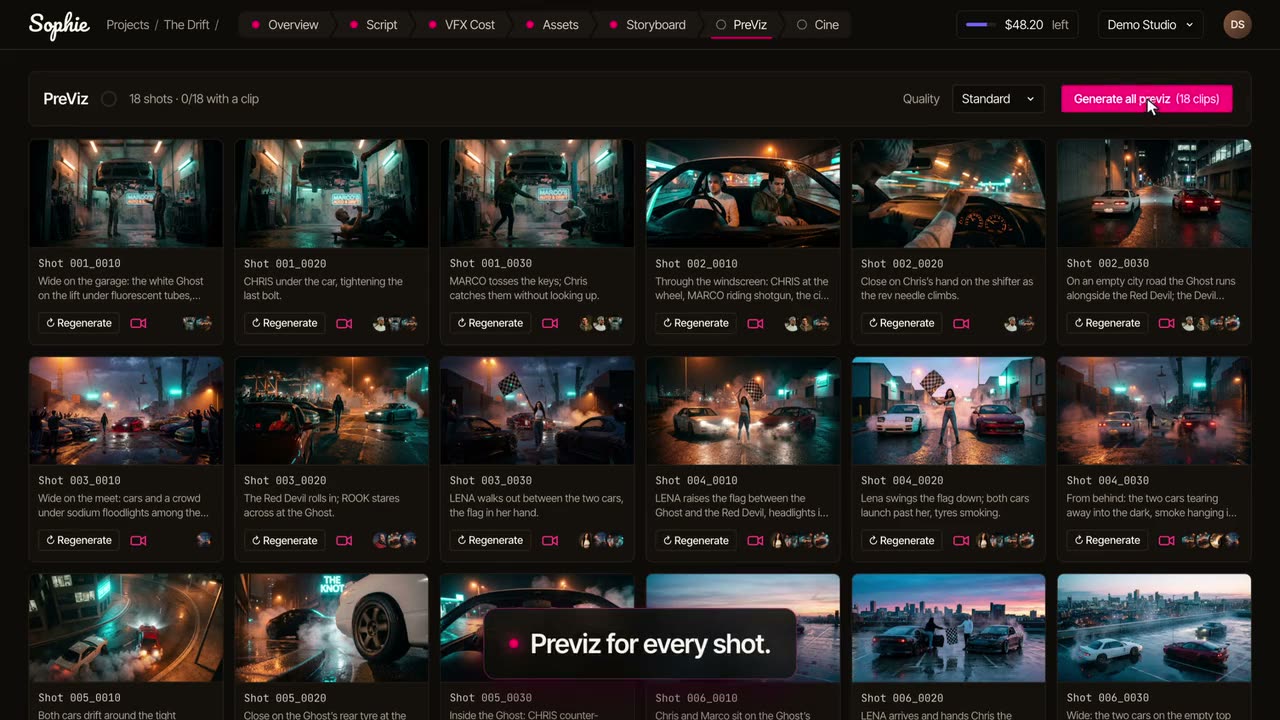
Share the project with a director, a producer or a client by email. They see the boards and clips, and nothing else in your organisation.
05 · Camera direction
Direct the camera. Move the people and the set.
When a generated clip is not the shot you meant, open it on a stage. Sophie measures the set from the frame, places its objects, and gives each person a body you can walk, turn and pose. Drag the camera, set waypoints and a lens, play the move, and render the shot's clip again from what you directed — a layout you control rather than a prompt you hope for.
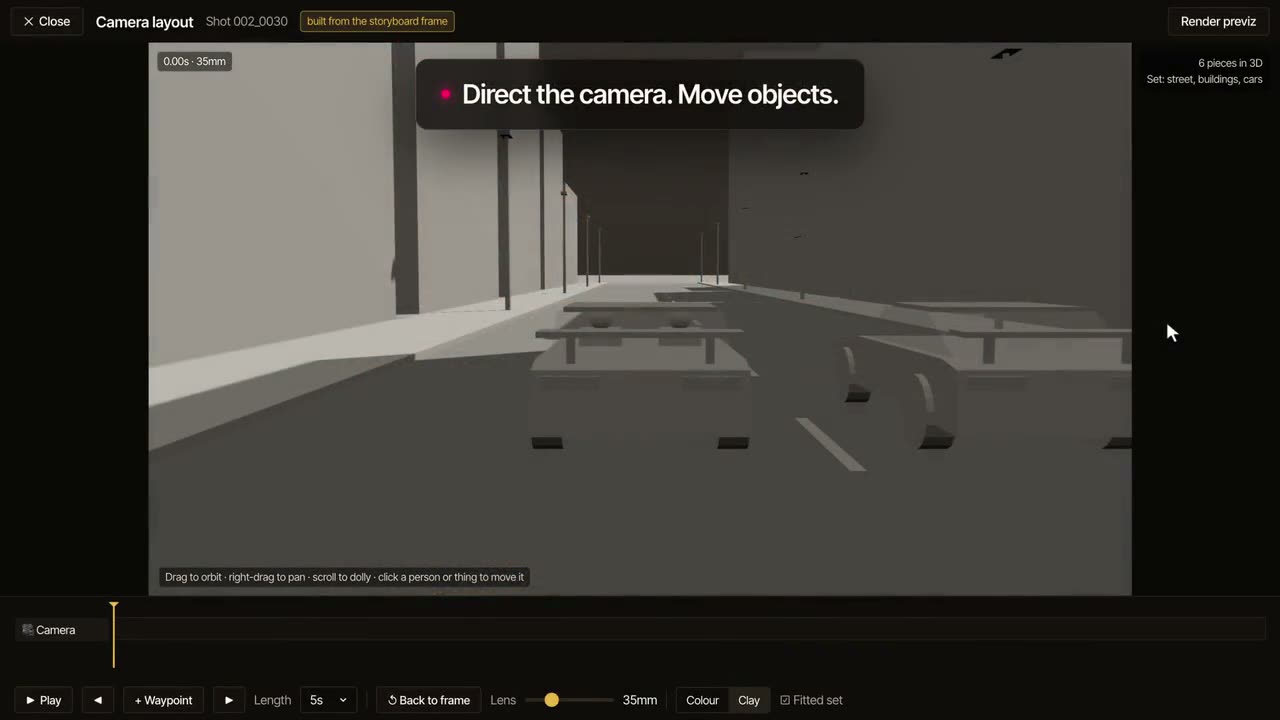
Camera direction is in beta. The stage shows movement, pacing and coverage; it does not carry real lenses, scale or set data, and a previs department still does that work — briefed better.
Questions
- How accurate is an AI VFX estimate?
- It is an estimate with a stated confidence and the reasoning next to it, made to be edited by someone who knows the show. Run a second pass to see where two estimators disagree.
- Will my client see my margin?
- No. A bid margin is folded into the day rates and is never a line item. Someone you share the project with as a guest sees the breakdown as quoted.
- Can I previz without a storyboard?
- A clip animates a frame, so there is always a frame first — one Sophie drew, one you uploaded, or a panel read from a storyboard PDF you already had.
- What happens when the script changes?
- Frames and clips record what they were made from. When a reference, a frame or the Look changes, the work made from it is marked out of date and you choose whether to remake it.
- What about scripts under NDA?
- We do not train our own models on your content, projects live inside your organisation, and the Privacy Policy names who processes what.
- What is free?
- The first script import and the first VFX breakdown, with no card. Images, clips and further breakdowns run on credits. Pricing in full.